We would like to build a community for Small Basic programmers of any age who like to code. Everyone from total beginner to guru is welcome. Click here to register and share your programming journey!
You’re both right and wrong.
I programmed the initialization and event routines myself. I also created the main loop with the reactions to button clicks and set up the corresponding subroutines. Then I had the AI Copilot generate the routine for drawing a circle. Naturally, it didn’t work correctly at first. Once the routine was working properly, I handed the entire program over to Copilot and had it generate the remaining subroutines one after another. That worked well. But when I tried to have Copilot create the last three subroutines, it produced nothing but garbage. So I programmed the color‑change routine myself. Finally, I handed the whole program over to Copilot again and asked it to insert comments. That worked beautifully.
Since LitDev has added the move routine here, I’ll ask Copilot this evening to create the rotate routine. Let’s see what comes out of it.
Many thanks to LitDev — the move routine works perfectly. When will there be an update to the LitDev extension? There are quite a few improvements pending.
When I have time, I’ll add more drawing objects. I’ll also make the pen width freely selectable.
I find AI generally not much help, but I guess it has its place for routine stuff.
Will be interested to see how rotation works, especially for triangles which won't be so simple without HI, but maybe I be surprised by it.
What outstanding extension things do you mean, I didn't actually know there were any.
01-27-2026, 10:33 AM (This post was last modified: 01-27-2026, 02:45 PM by litdev.)
My version with star polygon and HI rotations for triangles and polygons, and some reduced flicker code, JWRB189.000
PS Didn't see your last post as a separate post - the version with your extra stuff and rotations. The rotations are not about shape center for triangles as I suspected by AI, also rotations are not cumulative from previous rotation - this is my experience of AI - for very simple repetative tasks or syntax it is useful as a starting point, but for anything that it probably hasn't seen before is pretty rubbish and fixing it takes longer than understanding how to do it. Would be interested if you could get AI to rotate triangles or polygons about their center, especially following a Move, without giving it my code of course.
New version TPJB64.000-3
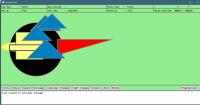
The program has been expanded and modified with additional buttons. Input for stars and polygons has been added. Since the buttons now appear in two separate areas, the value 30 in the initialization line
BX = BX + 30 + LDShapes.Width(B[i])
needs to be adjusted to match the screen size.
Not everything has been programmed yet, but you can already see the direction in which the program is developing. With FillColour, it should be possible to change the color of an object afterwards.
Yes, the rotation of triangles and the zooming are still problems that need to be solved.






![[-]](https://litdev.uk/mybb/images/collapse.png)