| Welcome, Guest |
You have to register before you can post on our site.
|
| Online Users |
There are currently 254 online users.
» 0 Member(s) | 252 Guest(s)
Bing, Google
|
| Latest Threads |
Challenge 14 - Rainbow
Forum: Challenges
Last Post: tiagomoreira41
10-07-2026, 12:51 AM
» Replies: 6
» Views: 2,037
|
Use second screen by smal...
Forum: Extensions
Last Post: litdev
09-05-2026, 08:11 PM
» Replies: 2
» Views: 252
|
Small Basic as the "LEGO ...
Forum: Discussion
Last Post: litdev
08-17-2026, 11:06 AM
» Replies: 5
» Views: 493
|
I never thought this woul...
Forum: Discussion
Last Post: litdev
07-10-2026, 10:18 AM
» Replies: 1
» Views: 248
|
ListView issues by use LD...
Forum: Extensions
Last Post: martmen
06-11-2026, 09:46 AM
» Replies: 6
» Views: 865
|
I think that no more Smal...
Forum: Discussion
Last Post: eddylo
04-24-2026, 12:54 AM
» Replies: 2
» Views: 815
|
D'ont read a file
Forum: Standard Small Basic
Last Post: WhTurner
04-12-2026, 03:39 PM
» Replies: 1
» Views: 446
|
close a file
Forum: Standard Small Basic
Last Post: francesco
04-12-2026, 08:59 AM
» Replies: 2
» Views: 596
|
random in a array
Forum: Standard Small Basic
Last Post: francesco
04-05-2026, 06:40 PM
» Replies: 4
» Views: 1,004
|
Sqlite Version
Forum: Extensions
Last Post: Lester
03-24-2026, 06:58 PM
» Replies: 3
» Views: 792
|
|
|
| Small Basic Program Conversion to C# |
|
Posted by: jrmrhrb00 - 12-09-2024, 01:05 PM - Forum: Discussion
- Replies (9)
|
 |
What can a person do when they have a small basic program that they want to convert to c# and the conversion comes up with a bunch of error messages that you don't understand that originates from visual studio. The program runs fine in small basic. The problems occur after conversion. This is an issue with visual studio. It generally gives potential fixes that never work and the explanation of what is wrong is way beyond my comprehension.
Most of the time I end up just leaving the running program in small basic and give up on converting to c#. I know that is not the ideal way of doing it, but what else can a person do?
JR
|

|
|
| Getting this error message on extension manager |
|
Posted by: Yumda - 12-08-2024, 09:30 AM - Forum: Extensions
- Replies (4)
|
|
Hi there:
While updating SB prime extension using the extension manager I have been getting the message and only happen when I try to update litdev extension.
Does anyone has any ideas?
error message:
"Extension version incorrect: 1.2.29.11 (Database), 1.2.29.12 (Downloaded)
Do you wish to continue?"
upon selecting yes, nothing happened.
Would welcome any input.
Regards
|
|
|
|
| Missing .jpg files |
|
Posted by: jrmrhrb00 - 12-07-2024, 01:08 PM - Forum: Discussion
- Replies (2)
|
|
In the article for how to Graduate to c#. It mentions 3 .jpg files. I can't find them.
Stones.jpg
Walls.jpg
Water.jpg
I assume they're on the forum somewhere, but I don't have a clue as to where.
JR
In m
|
|
|
|
| Threads |
|
Posted by: jrmrhrb00 - 11-24-2024, 10:46 PM - Forum: Standard Small Basic
- Replies (19)
|
|
If i have a program and call a subroutine in that program from the UI thread, will it still be on the UI thread or does it run on a different thread?
JR
|
|
|
|
| Small Basic 1.2 |
|
Posted by: jrmrhrb00 - 11-23-2024, 12:26 AM - Forum: Standard Small Basic
- No Replies
|
|
I was doing a little research on small basic. Level 1.2 was released on Oct. 1, 2015. Small Basic was actually an idea way back in 2008. That is when Microsoft started developing it. To see how I figured this out in your url type "Way Back Machine". It will load a web page. Then click on Wayback Machine again. It loads a new page and from it, it wants you to enter a url. Type in Smallbasic.com.at the top of that it shows a calendar. The first entries for the calendar start in 2008.
If you select one of the entries in the calendar it will bring up a smallbasic.com webpage. Look at that page and find where it says "need help". Click on that and it takes you into the old forum. Some of the links work in the forum and some don't. It depends on if it was archived. So, we can get into some parts of the old forum through the "Way Back Machine"! The "Way Back Machine" is basically an archive of what was on the internet at that point in time. Not everything was archived, but a lot of it was.
JR
|
|
|
|
| SB.js |
|
Posted by: z-s - 11-22-2024, 05:51 AM - Forum: Discussion
- Replies (6)
|
 |
this is work in progress for SB.js for executing the sb on browser.
put your sb code in the div section:
PHP Code: <!DOCTYPE html>
<html lang="en">
<head>
<meta charset="UTF-8">
<meta name="viewport" content="width=device-width, initial-scale=1.0">
<title>SB.js Executor</title>
</head>
<body>
<h1>SB.js Executor</h1>
<!-- Small Basic code goes here -->
<div class="SB">
x = 2
ar_ind = 1
y = 3 * x
TextWindow.WriteLine(y)
hello[ar_ind] = "hii"
TextWindow.WriteLine(hello[1])
</div>
<script>
arrays = []
// Run the SB code when the page loads
window.onload = runSBCode;
// Main execution function
function runSBCode() {
// Extract code from the div with class "SB"
const codeDiv = document.querySelector(".SB");
const code = codeDiv.textContent.trim().split("\n").map(line => line.trim()); // Split by newline
const arrayRegex = /([a-zA-Z_][a-zA-Z0-9_]*)\[\s*([a-zA-Z_][a-zA-Z0-9_]*)\s*\]/;
code.forEach(line => {
if (line) {
const arrayMatch = line.match(arrayRegex);
if (arrayMatch) {
const arrayName = arrayMatch[1]; // Extract array name
if (!arrays.includes(arrayName)) {
eval(`${arrayName} = []`); // Initialize the array
arrays.push(arrayName); // Store the array name
}
}
// Check if the line is a TextWindow.WriteLine command
if (line.startsWith("TextWindow.WriteLine")) {
// Extract the content within the parentheses
const match = line.match(/TextWindow\.WriteLine\((.*)\)/);
if (match) {
const content = match[1].trim();
// Replace TextWindow.WriteLine with console.log
const jsCode = `console.log(${content})`;
eval(jsCode); // Execute the JavaScript code
}
} else {
// If it's just a normal SB code line, try to eval it directly
try {
eval(line); // Execute the Small Basic line as JavaScript
} catch (e) {
console.log(`Error in executing: ${line} - ${e.message}`);
}
}
}
});
}
</script>
</body>
</html>
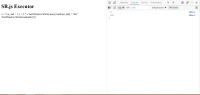
good ui and more coming soon.
|
|
|
|
| LDArray extension |
|
Posted by: Yumda - 11-17-2024, 10:05 PM - Forum: Extensions
- Replies (17)
|
|
Hi All...
This may seem like a dumb question... but
Having trouble understanding how to use the LDarray extension. There is no examples, do you think you can give me some example?
I am having trouble to even create one using the ldarray extension, normal Sb array is fine, but just don't seem to get ldarray to work.
Thanks you all for helping and your time in advance.
Regards
|
|
|
|
|